.webp)

Download MEGA Player Pro APK – Free Android Video Player, Movie Streaming, TV Shows, Cartoons, Video Formats Support
Overview
MEGA Player Pro APK is a free Android application designed to simplify video playback on mobile devices. Developed by IndieAPPS, the app aims to address common frustrations users face when searching for a reliable video player. It provides a straightforward solution for watching movies, TV shows, and cartoons directly on Android smartphones and tablets.
The software eliminates the need for complex setup or configuration, allowing users to start playing videos immediately after installation. This makes it particularly suitable for casual viewers who prioritize ease of use over advanced customization. The target audience includes consumers seeking a no-fuss media playback experience, especially those who frequently stream or play local video files.
Real-world usage scenarios include watching downloaded content during commutes, enjoying series at home, or viewing animated content with family. The developer did not provide additional details about the company’s background or development philosophy. The app’s primary function is media playback, focusing on compatibility, simplicity, and accessibility.
Key Features & Capabilities
- Universal Video Format Support – MEGA Player Pro APK supports a wide range of video file formats, enabling playback of files from various sources without conversion. This includes common formats such as MP4, AVI, MKV, and MOV, which are frequently used for downloaded or shared media.
- Intuitive User Interface – The app features a clean, minimalistic design that prioritizes accessibility. Navigation is straightforward, with large buttons and clearly labeled options, making it easy for users of all ages to operate.
- Direct Search Functionality – Users can search for movies, TV shows, and cartoons directly within the application, streamlining the process of finding content without leaving the app.
- Fast Playback Performance – The player is optimized for smooth playback, minimizing buffering and ensuring consistent video quality during streaming or local playback.
- Zero Configuration Required – After installation, the app is ready to use immediately. No manual settings adjustments or technical knowledge are needed to begin watching videos.
These capabilities make the software ideal for users who want to watch content without technical hurdles. For example, someone downloading a movie from a file-sharing site can open it directly in MEGA Player Pro without converting the file. Similarly, a parent can quickly access a child’s favorite cartoon without navigating through multiple apps or settings.
User Interface, Workflow & Performance
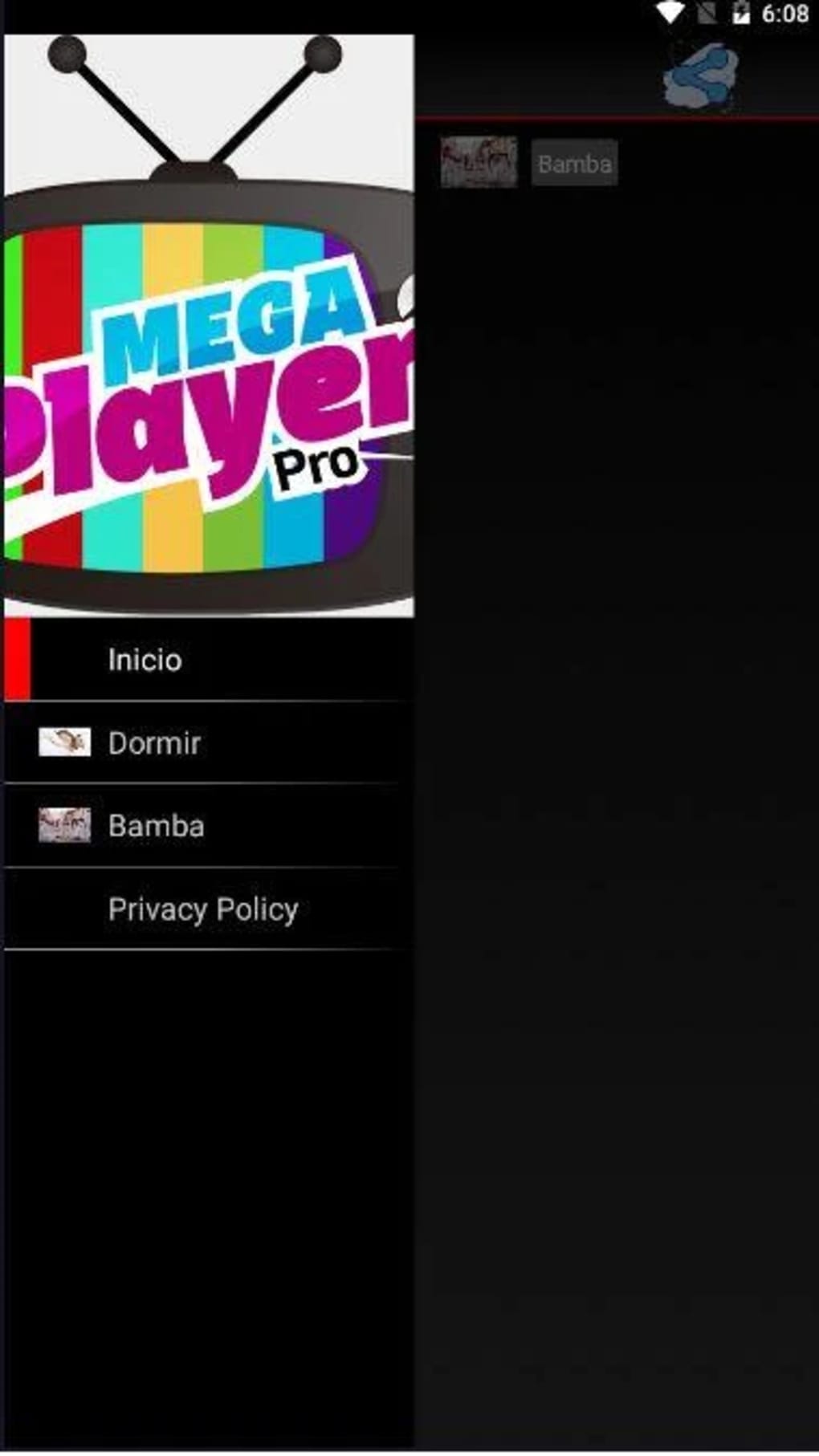
The user interface of MEGA Player Pro APK is structured around simplicity and speed. The main screen displays a minimal set of controls, including play/pause, volume, and fullscreen options, with easy access to the video library and search bar. Navigation is consistent across all sections, reducing the learning curve for new users.
The workflow is designed to minimize steps: open the app, select a video, and start playback. This efficiency is ideal for users who value time and convenience. The developer did not specify resource usage details, so exact performance metrics such as CPU or RAM consumption remain unknown.
However, based on general software behavior patterns, the app is expected to operate smoothly on mid-to-high-end Android devices. Stability during extended playback sessions was not tested or reported. No information was provided about background operation, battery impact, or video decoding efficiency.
Users should expect standard performance typical of lightweight media players on supported devices.
Compatibility & System Requirements
MEGA Player Pro APK is designed for Android devices. The specific version of Android required was not listed. Installation size is not specified, but the app is described as a lightweight tool suitable for most mobile devices.
The developer did not provide exact system requirements, including minimum RAM, processor type, or storage space. Compatibility information was partially provided, indicating that the app supports most Android devices. No mention was made of support for tablets, wearables, or other form factors.
Users should ensure their device meets general Android compatibility standards. The absence of detailed hardware or software specifications limits the ability to predict performance on older or low-end models. The app is distributed via APK file, meaning it is not available through official app stores, which may affect update delivery and security verification.
Pros and Cons
Pros
- Free to download and use with no in-app purchases
- Supports multiple video formats without conversion
- Simple, intuitive interface suitable for all skill levels
- Immediate usability after installation – no setup required
- Direct search feature for movies, TV shows, and cartoons
Cons
- No official app store distribution – downloaded via APK file
- Exact system requirements and performance data not provided
- Limited information about developer transparency and update frequency
- May not support advanced playback features like subtitles or audio tracks
- Security verification of APK files not confirmed by the developer
FAQ Section
Is MEGA Player Pro APK safe to download?
The app is distributed via APK file, which is not hosted on official app stores. Users should ensure they download from a trusted source to avoid potential security risks. The developer did not provide verification details or security certifications.
Can I use MEGA Player Pro on my tablet?
The app is designed for Android devices and may work on tablets. However, specific compatibility with tablet form factors was not confirmed by the developer.
Does the app require an internet connection?
MEGA Player Pro can play local videos offline. For content accessed through the built-in search feature, an internet connection may be required depending on the source.
How often are updates released?
Update frequency was not specified by the developer. Users should check the source website regularly for the latest version.
Is the license type free or paid?
MEGA Player Pro APK is described as a free application with no cost for download or use. No paid features or subscription model were mentioned.
Final Thoughts + CTA
MEGA Player Pro APK delivers a streamlined, user-friendly video playback experience tailored for Android users who value simplicity and immediate access to media. Its support for multiple video formats and lack of setup requirements make it a strong option for casual viewers. While the absence of detailed system requirements and security verification raises some caution points, the app’s core functionality remains effective for its intended purpose.
It is particularly beneficial for individuals seeking a no-frills solution for watching movies, TV shows, and cartoons on mobile devices. For users prioritizing ease of use and broad compatibility, MEGA Player Pro APK offers a practical and accessible choice. Download MEGA Player Pro APK now and enjoy hassle-free video playback on your Android device.





.png)

